
 Vaultic
Settings
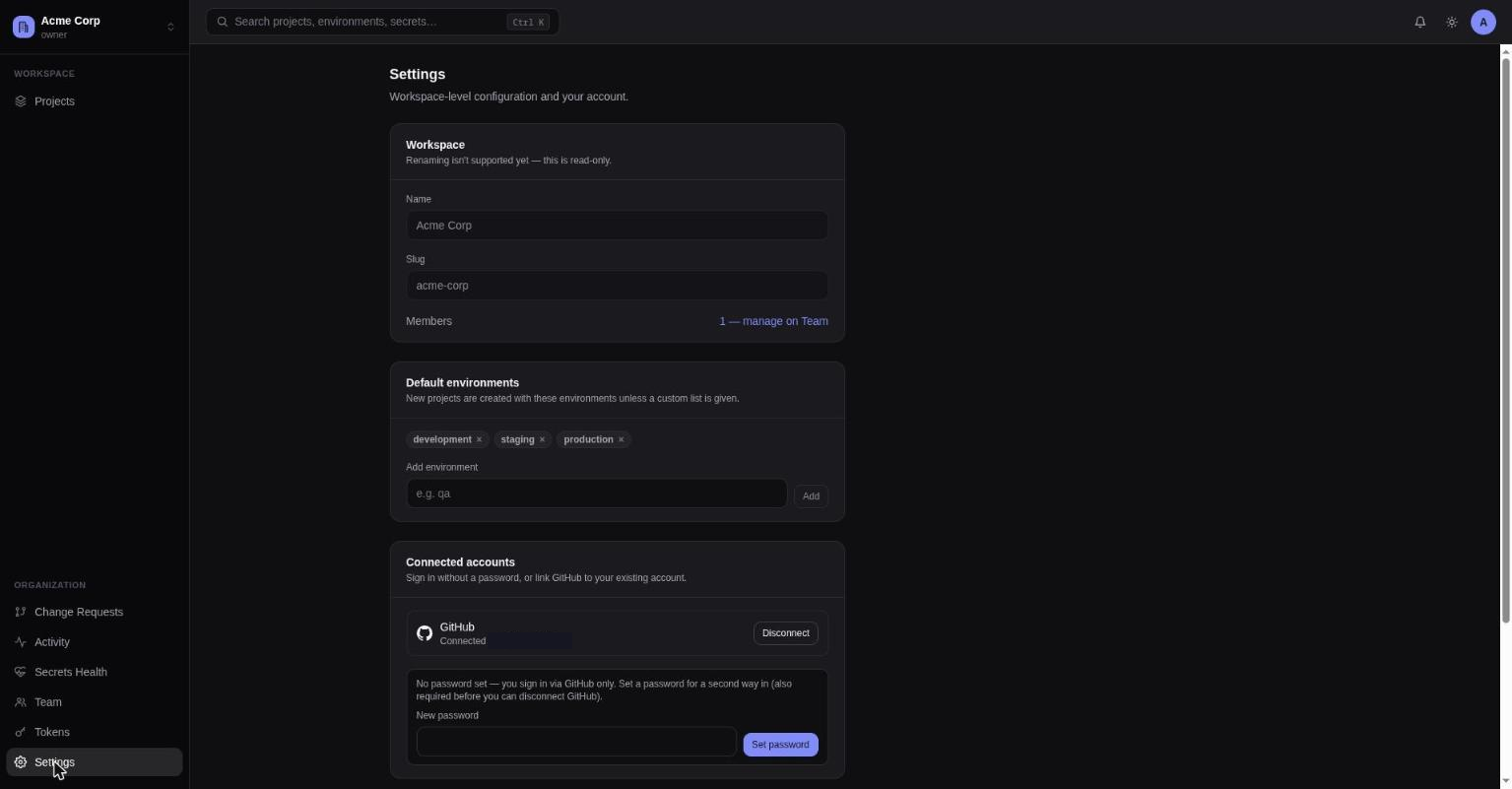
Workspace General, Security, and Billing tabs.
Three tabs, all workspace-scoped: General, Security, Billing.
General
- Workspace info — name and slug, both read-only (renaming isn't supported).
- Member count, with a link to Team.
- Default environments — the environments new projects are created with. Admins can add or remove slugs from this list; an empty list means new projects start with no environments at all.
- A note pointing at Your account for data export/account deletion, since those are account-wide, not workspace-specific.
- Danger zone (owner only) — delete the workspace. Permanently removes every project, environment, secret, member, token, webhook, and audit record under it; requires typing the workspace slug to confirm.
A naming policy for workspaces/projects/environments isn't backed by the API yet, so it isn't shown in the UI rather than faked as a non-functional stub.
Security
- SAML SSO (admin only) — configure this workspace's identity provider connection: paste in your IdP's entity ID, SSO URL, and signing certificate, and pick an email domain and a connection slug. Vaultic derives an SP entity ID, ACS URL, and login URL for you to hand back to your IdP. Once a connection exists, a Require SSO toggle blocks password, email-signup, and OAuth sign-in for that domain's addresses, forcing everyone through the identity provider. Deleting the connection doesn't affect existing accounts or memberships — it just removes that login route. This is what powers the "Secure SSO" option on the sign-in page — see Signing in.
- Connected accounts (personal, not workspace-wide) — connect or disconnect a GitHub or Google identity, and set a password if your account currently has none. You need a password (or another linked provider) set before you're allowed to disconnect one, so you're never left with no way to log back in.
SAML SSO is a Team-plan feature — see Billing. Attempting to create a connection on the Free plan prompts an upgrade instead.
Billing
(Admins can view; only the workspace owner can change anything.)
Shows the current plan (Free or Team), subscription status, seat count, and usage bars for projects and members against the plan's limits. On Team, an Upgrade to Team button starts Stripe Checkout; once subscribed, Manage billing opens the Stripe customer portal for invoices, payment methods, and cancellation.
If this server doesn't have Stripe configured, the tab says so and the workspace simply runs on Free-plan limits — there's no way to upgrade on that deployment.
See the pricing page for the full Free vs. Team comparison — plan limits and feature gates (secret rotation, change requests, webhooks, trusted IPs, share links, SSO) are rendered directly from the same table the API enforces, so it can't drift from what's actually allowed.
Your account
Reached from the account menu in the top bar, not nested under a workspace (/account) — this is
where account-wide, not workspace-scoped, actions live:
- Export your data — downloads a JSON file of everything tied to your account (GDPR Art. 20 portability).
- Delete your account — permanent erasure (GDPR Art. 17). You must first leave or delete every workspace you belong to; the server returns an error explaining that if you still have memberships.