
 Vaultic
Secrets Health
A workspace-wide dashboard for stale secrets, missed rotations, dead environments, duplicate values, and search-by-value.
This is a workspace-wide dashboard for the kind of drift that's easy to lose track of, across five tabs:
- Stale Secrets — values unchanged for at least N days (configurable: 90 / 180 / 365).
- Expired Reminders — secrets that are expired, or past their rotation-reminder due date; each row is badged with which.
- Inactive Configs — environments with no activity for at least N days (configurable: 7 / 30 / 60 / 90).
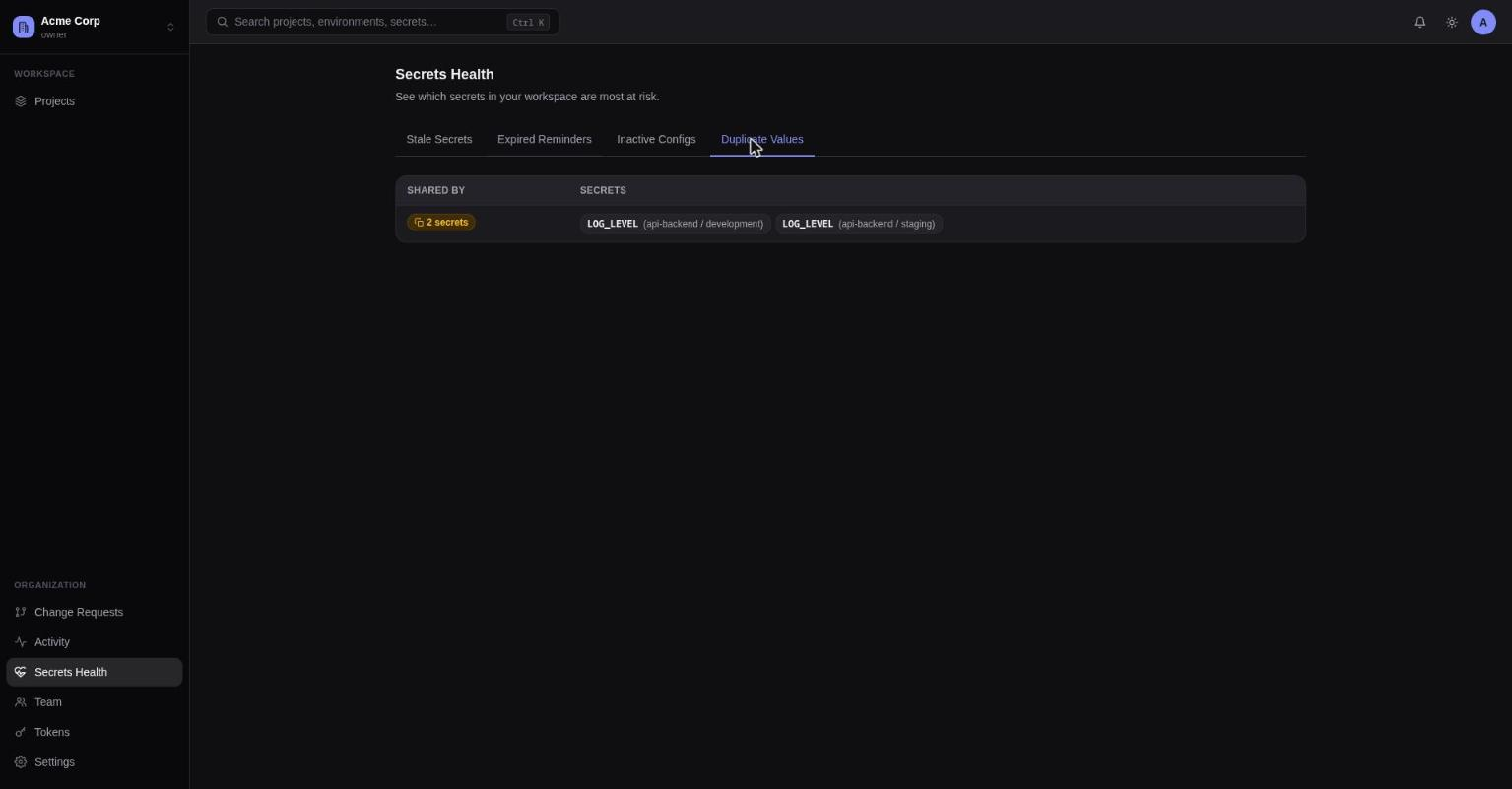
- Duplicate Values — groups of secrets across the workspace that currently share the same decrypted value. Computed server-side via a keyed HMAC, so raw values are never sent to the browser — only key/project/environment identifiers. Loaded lazily when you open the tab, since it's a heavier query than the others.
- Search by Value — paste a value, find which secrets currently hold it. See below.
Every row is clickable: Stale Secrets, Expired Reminders, Duplicate Values, and Search by Value jump to that key's Secrets tab; Inactive Configs jumps to that environment's Logs tab.
This page reuses the same expiry/rotation-due logic the CLI's vaultic status and
secrets list nagging use — nothing here is reimplemented separately — and respects
per-project/per-environment access grants, so you only see what you actually have access to.
Search by Value
Know a secret's value but not which key it's stored under? Paste it into the Search by Value tab and submit — it returns the project, environment, and key of every secret currently visible to you whose value exactly matches. Also available from the CLI:
vaultic secrets search-by-value                   # prompts / reads stdin
vaultic secrets search-by-value "sk_live_..."
vaultic secrets search-by-value --from-file ./leaked-key.txt
echo -n "sk_live_..." | vaultic secrets search-by-value -
vaultic secrets search-by-value "sk_live_..." --json
Unlike the other four tabs, this one never runs automatically or live-filters as you type — a search only happens when you explicitly submit, since (unlike Duplicate Values) it has to send the value you're searching for to the server to be checked. The server never decrypts a secret to answer the question: it hashes your input with the same keyed HMAC used by Duplicate Values and compares it against an already-computed, indexed column. Results show only project/environment/key — never a value, and never the value you searched for.
Matching is exact, whitespace included — no partial, fuzzy, or case-insensitive matching.
A restricted secret never
shows up as a match, even if you paste its exact value — confirming a match would let you (or
anyone with your login) verify a guessed value against a secret that's supposed to be
unrevealable once saved, which defeats the point of restricted.