Vaultic
Access, team & tokens
The dashboard views for workspace roles, per-environment access grants, and service tokens.
Vaultic layers three things on top of each other: a workspace-wide role per member, optional per-project/per-environment access grants that narrow or broaden that role, and service tokens for machines instead of people. See Team management for the concepts and CLI equivalents.
An environment's Access tab
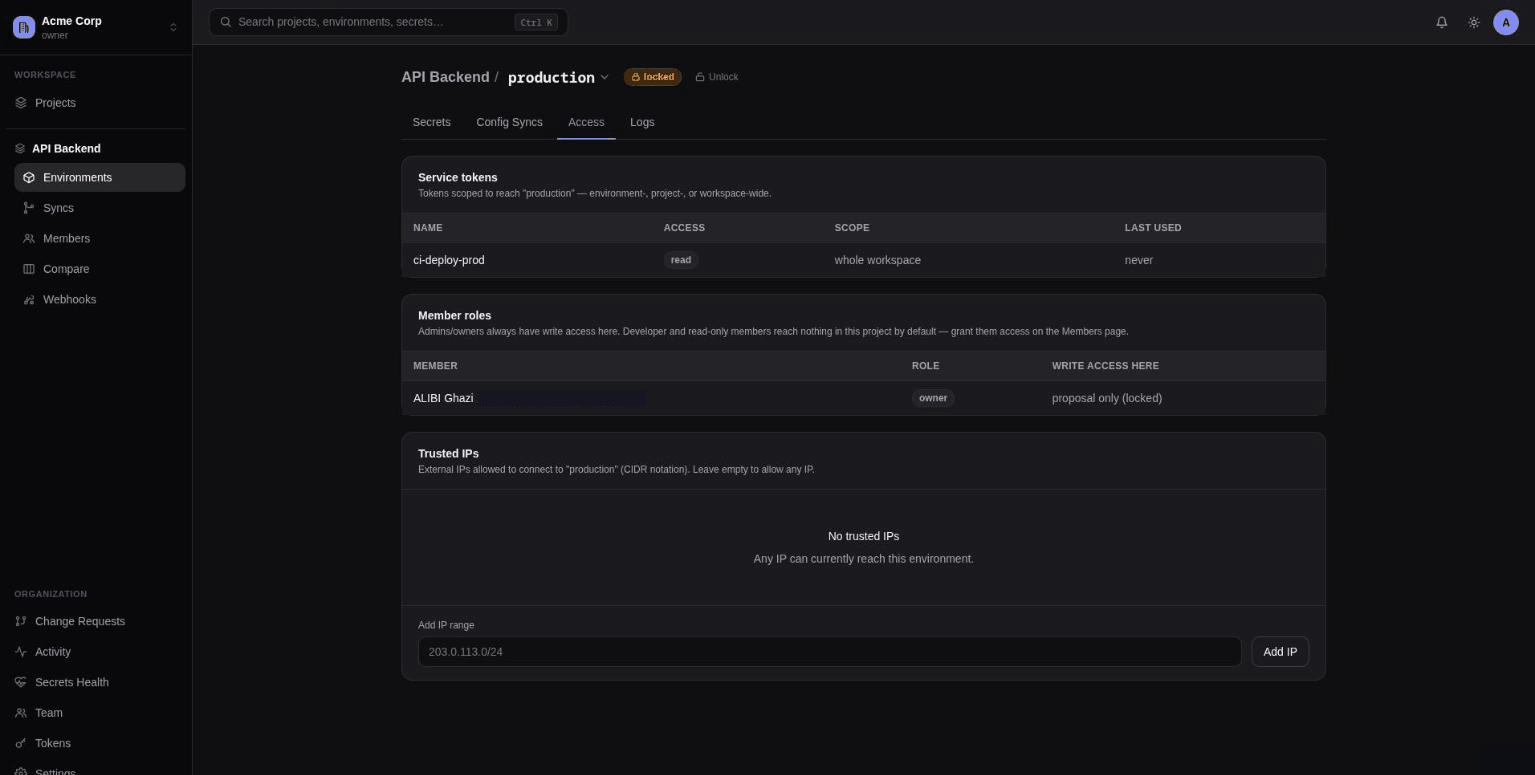
Four stacked cards, scoped to one environment:
- Service tokens reaching this environment — filtered from the workspace's tokens to those scoped to this environment, project, or the whole workspace; shows access level and last-used. Admin-only.
- Access grants — admins can grant a member
read-onlyordeveloperaccess scoped to just this environment or the whole project, and revoke existing grants. This is what lets someone touch one project without becoming a full workspace-role member everywhere. - Member roles — read-only table of every member's baseline workspace role, and whether
they can write here right now:
yes,no, orproposal only (locked)if the environment is locked. - Trusted IPs (admin only, Team plan) — an allowlist of CIDR ranges for this environment. Add at least one and every request touching this environment's secrets/config — from the web app, CLI, service tokens, everything — is rejected unless it comes from a listed range; an empty list (the default) means no restriction at all. Managing the allowlist itself is never IP-gated, so an admin restricting an environment can't accidentally lock themselves out of widening it again later from a different network.
Team
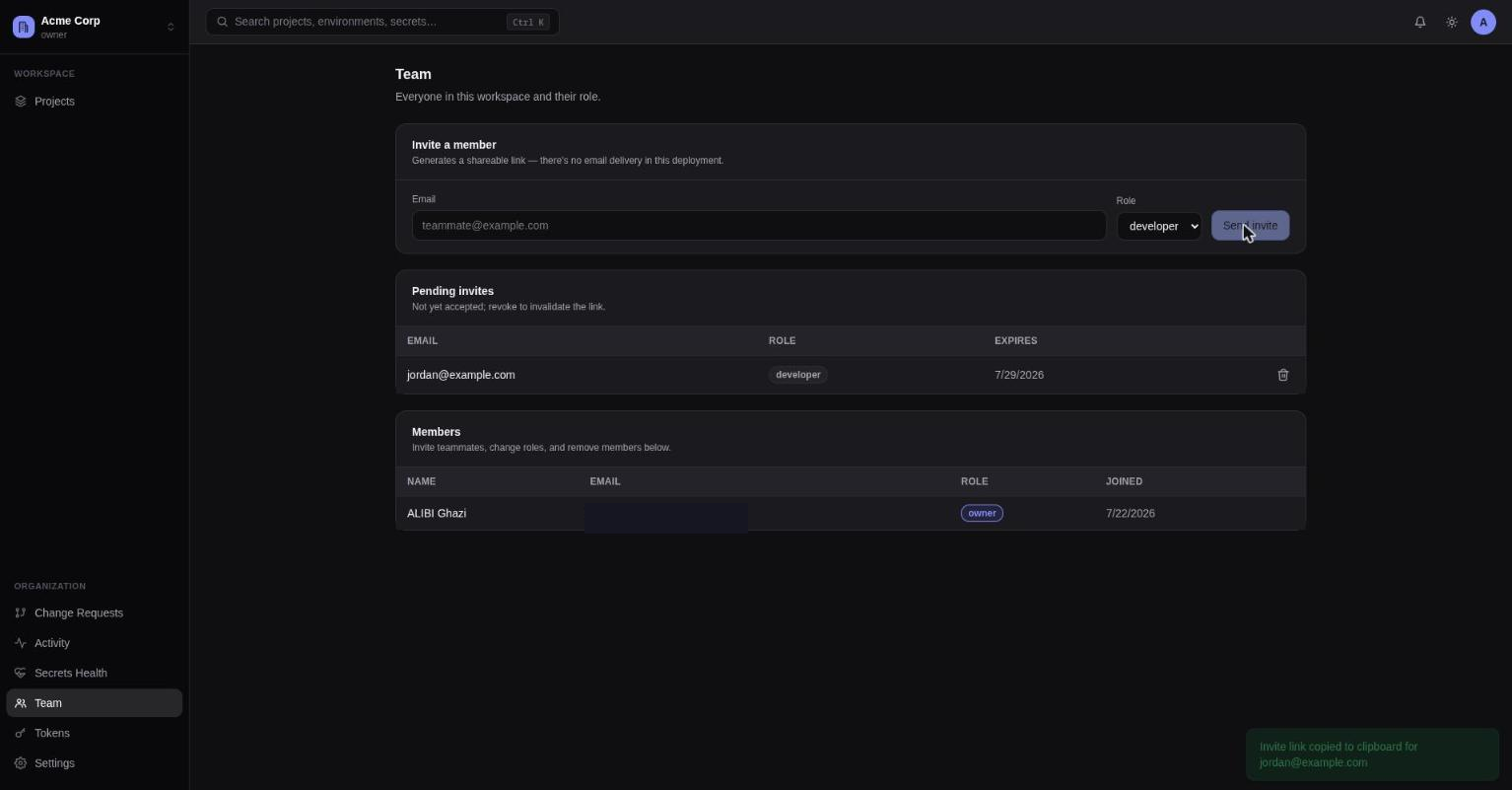
Admin-only workspace membership management:
- Invite a member — email + role (read-only/developer/admin). Generates a shareable accept-invite link, copied to your clipboard — there's no email delivery, you send the link yourself.
- Pending invites — table with a revoke action.
- Members — full member table with inline role-change dropdowns and remove buttons. Owners can't be demoted or removed except by another owner, and you can't edit your own row.
Members
The same member table, read-only, shown in a project context. Roles are workspace-wide today — there's no separate per-project membership tier; the Access tab's access grants are the actual project/environment-scoped mechanism.
Tokens
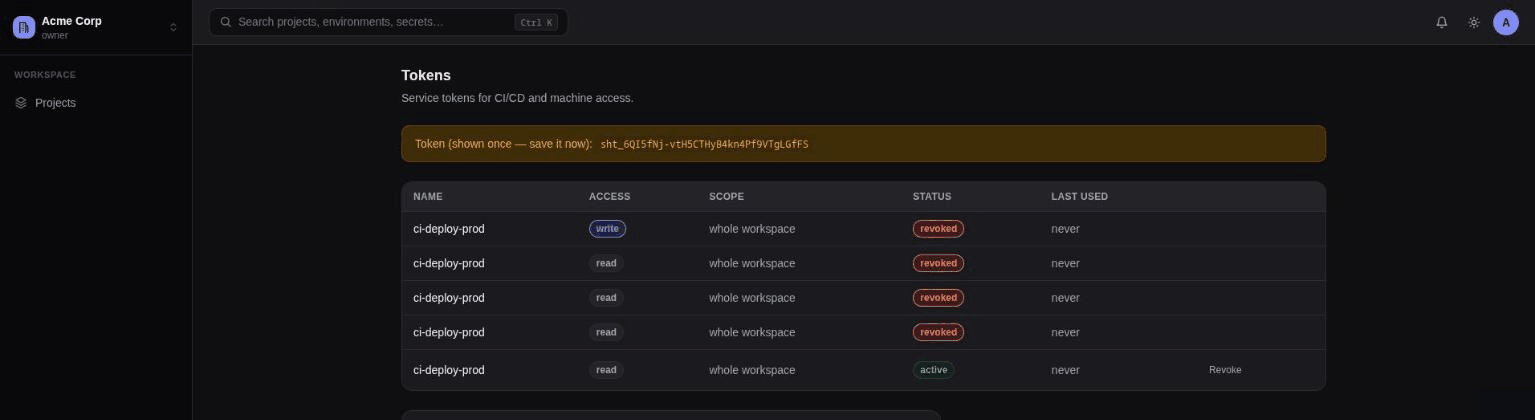
Service tokens for CI/CD and machine access, admin-only. The table shows name, access (read/write), scope (whole workspace / one project / one environment), status (active/expired/ revoked), and last-used, with a revoke action.
Creating one takes a name, an optional project + environment (environment only selectable once you've picked a project), an access level, and an optional expiry in days.
The token value is shown once in a warning banner right after creation — it can't be retrieved again, so copy it immediately.