
 Vaultic
Locking & change requests
How locked environments turn direct writes into an approval queue.
Any environment can be locked — from its column header on
Compare, or via the CLI's
vaultic env lock <slug>. Once locked, direct writes (adding, editing, or deleting a secret)
don't apply immediately: they're recorded as a pending proposal instead, and the person making
the change sees a toast explaining it needs approval.
Change Requests
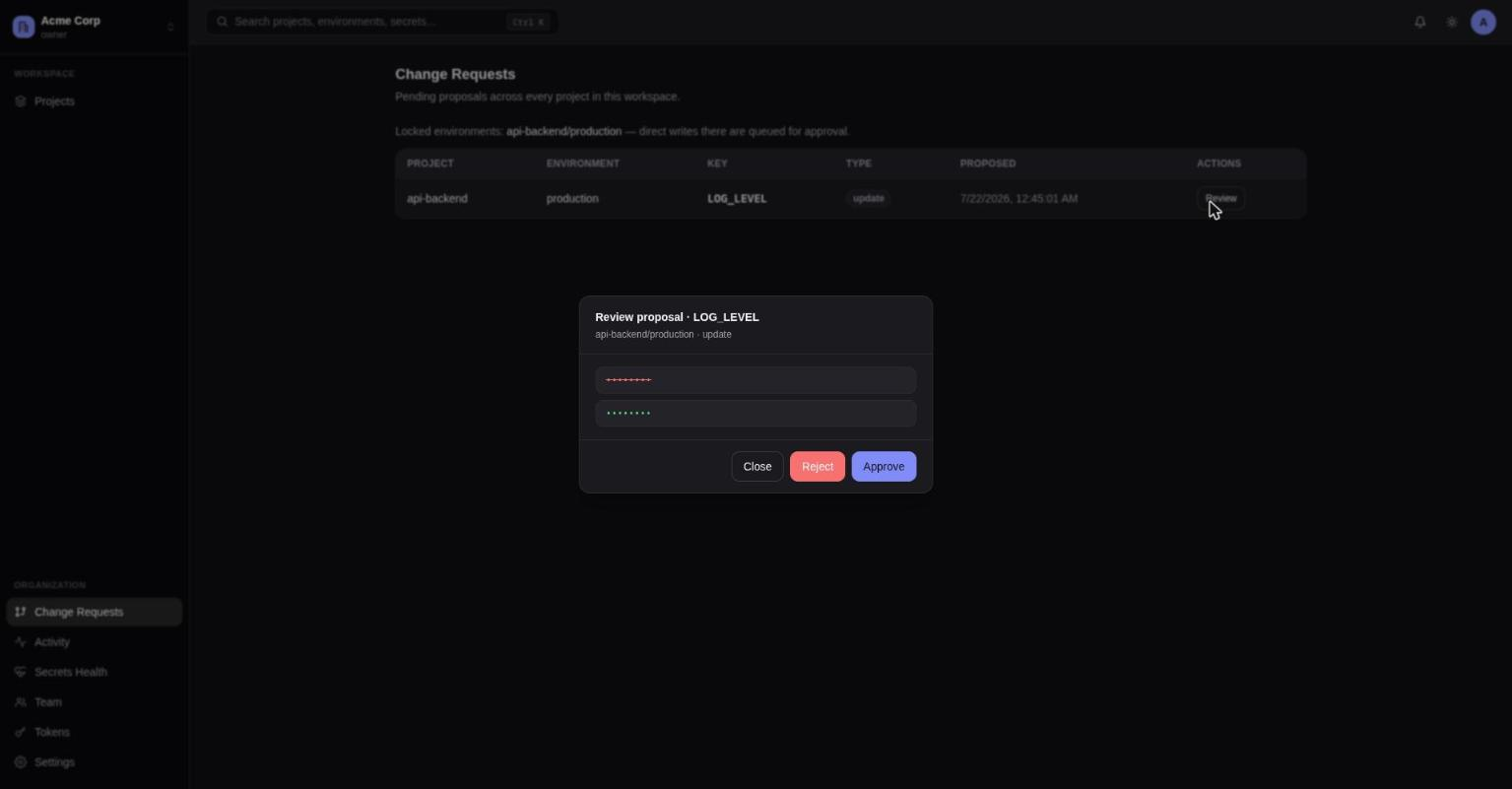
A workspace-wide queue of every pending proposal, aggregated across all projects and environments. It also lists which environments are currently locked.
Each row shows the project, environment, key, change type, and when it was proposed. "Review" opens a diff — the current value struck through in red, the proposed value in green — with Approve/Reject buttons.
Change proposals encrypt the proposed value with its own fresh key at proposal time, so a pending change never sits as plaintext in the database before approval.
See env proposals / env approve / env reject for the
CLI equivalent, and CI/CD & production
for why teams typically lock production this way.